Device Connection
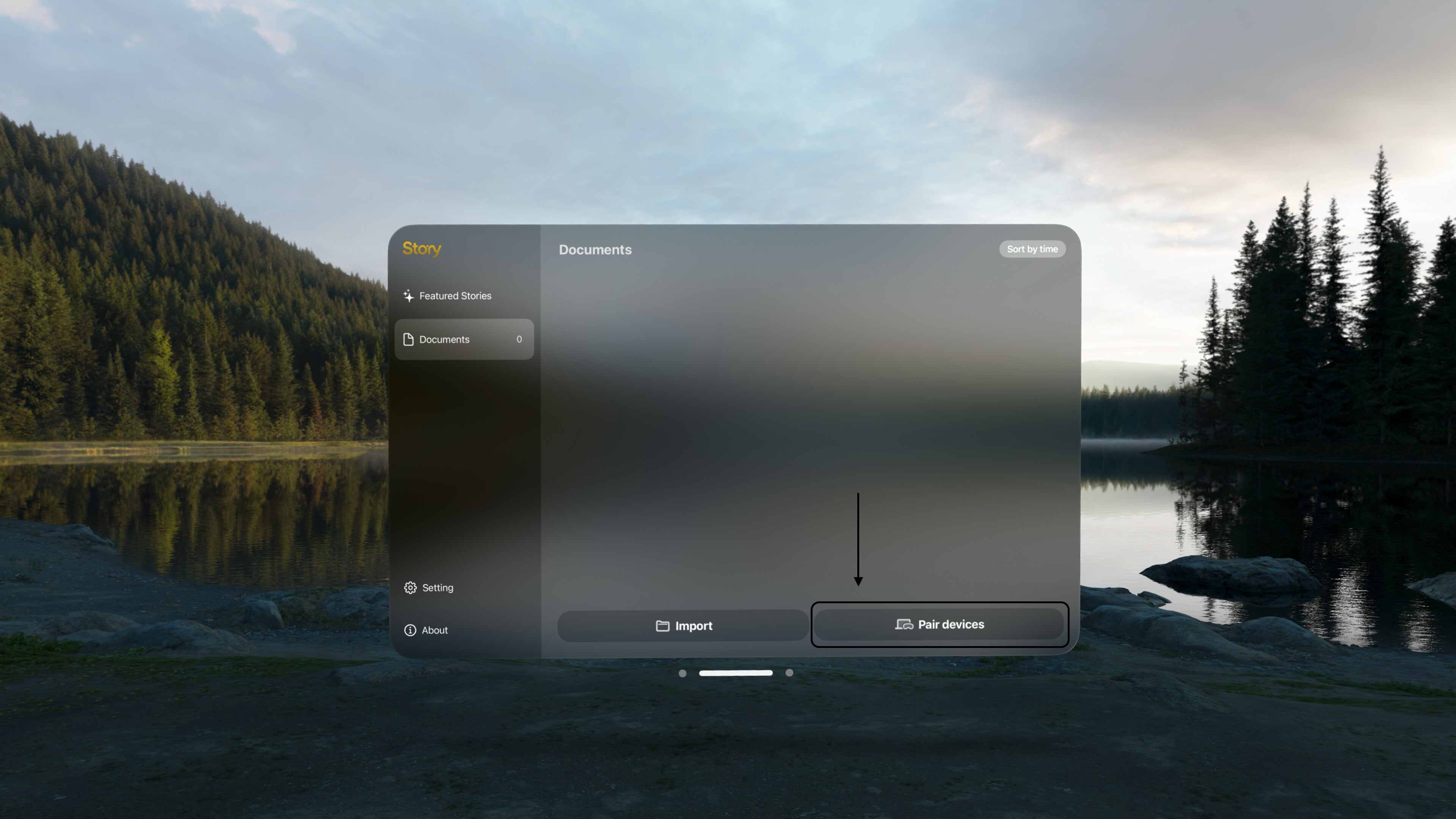
- Put on your Vision Pro and open the Story App, then tap Pair Devices to make sure the app is Discoverable.
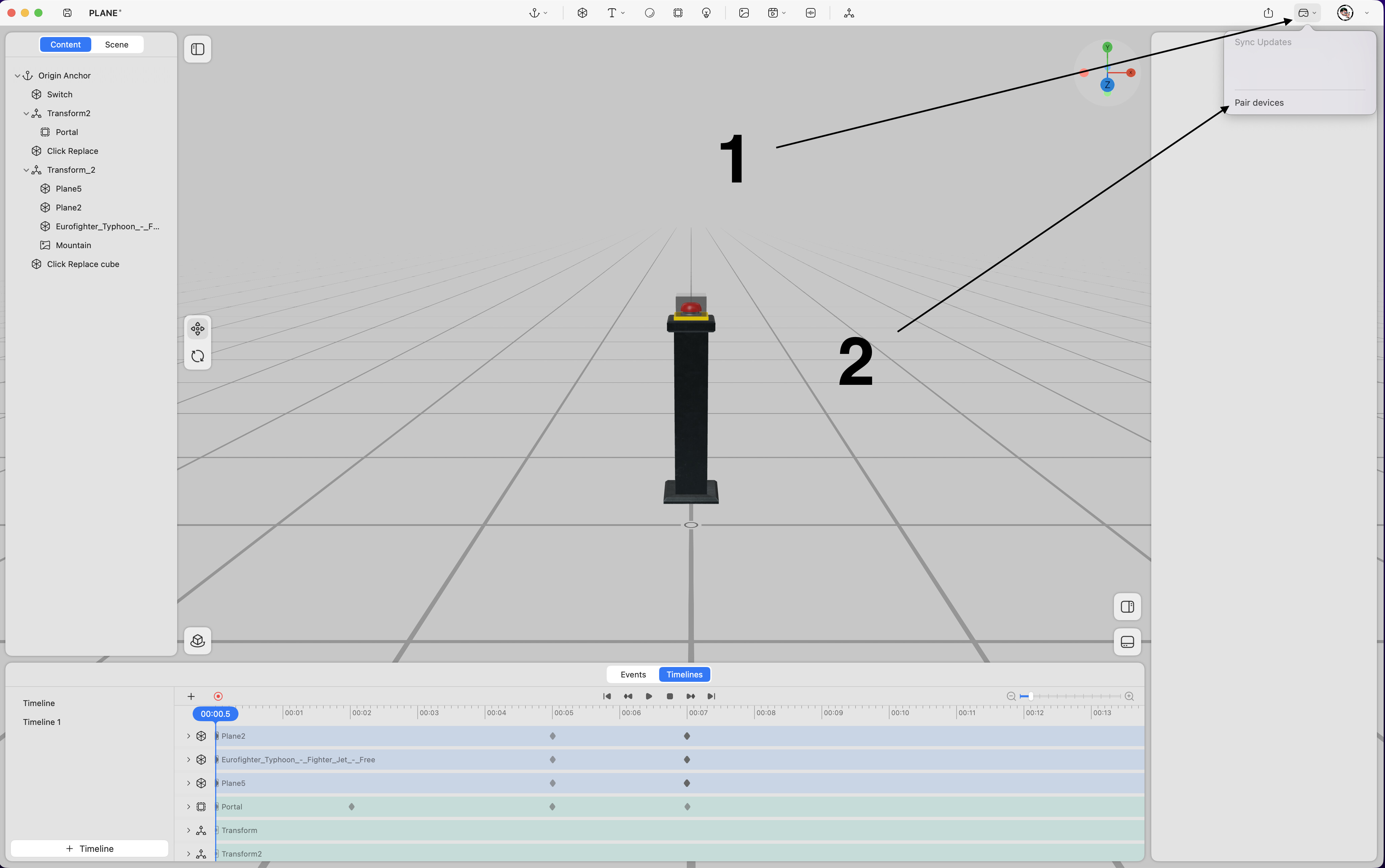
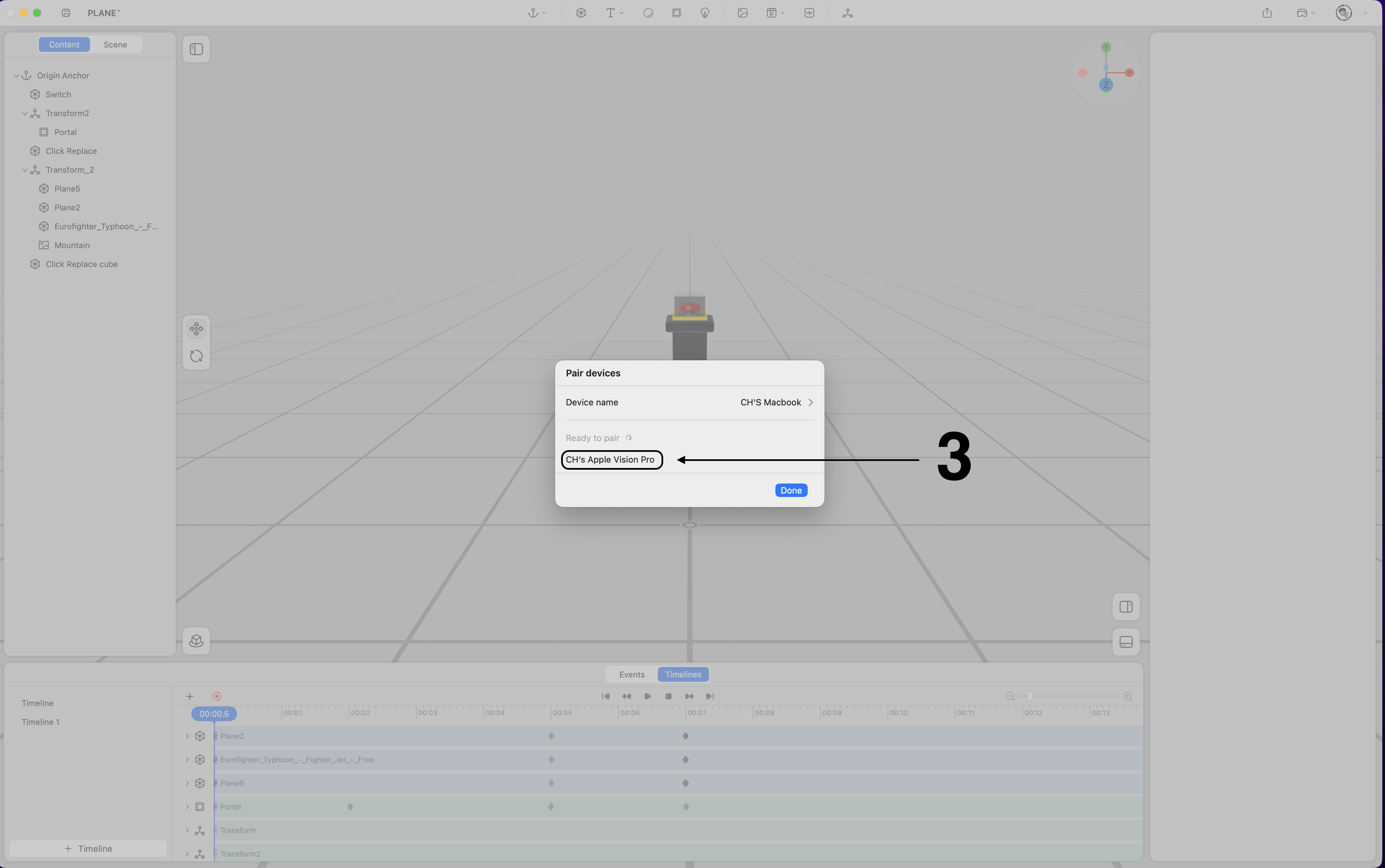
- On your Mac, open the project in ProStory, click the sync button in the upper right corner, and choose Pair devices. Once the Vision Pro device appears, select it to connect.
Notes:
-
The Story App on Vision Pro must remain active in the foreground during connection.
-
Devices logged into the same Story ID will pair automatically, you can skip this procedure.
-
If logged into different Story IDs, manual pairing is required.
Content Sync
-
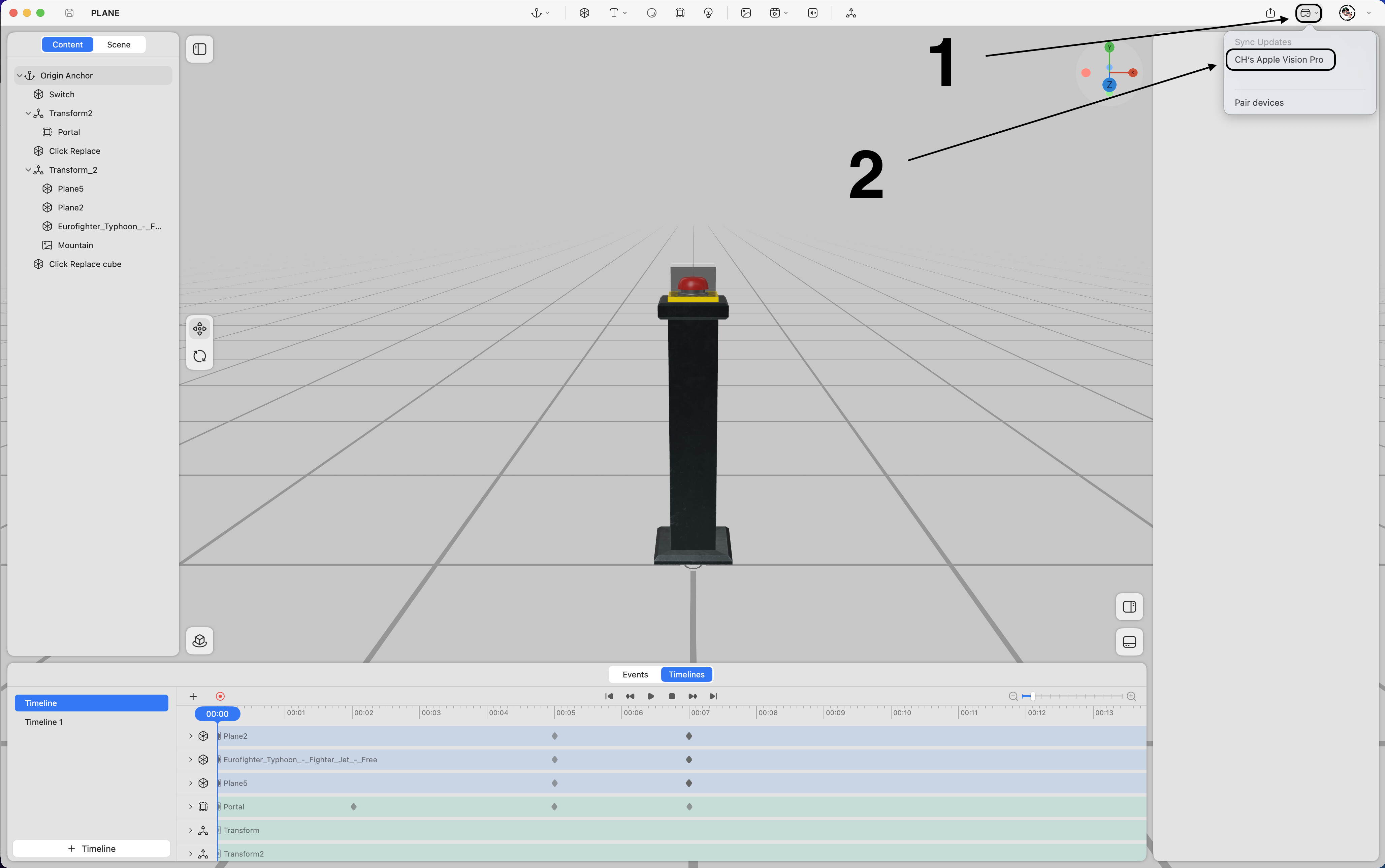
Click the Sync button.
-
Select a paired device, and the content will sync updates to the Story App.
Notes:
-
The Story App on Vision Pro must remain active in the foreground during syncing.
-
Do not remove the Vision Pro headset during the synchronization process.