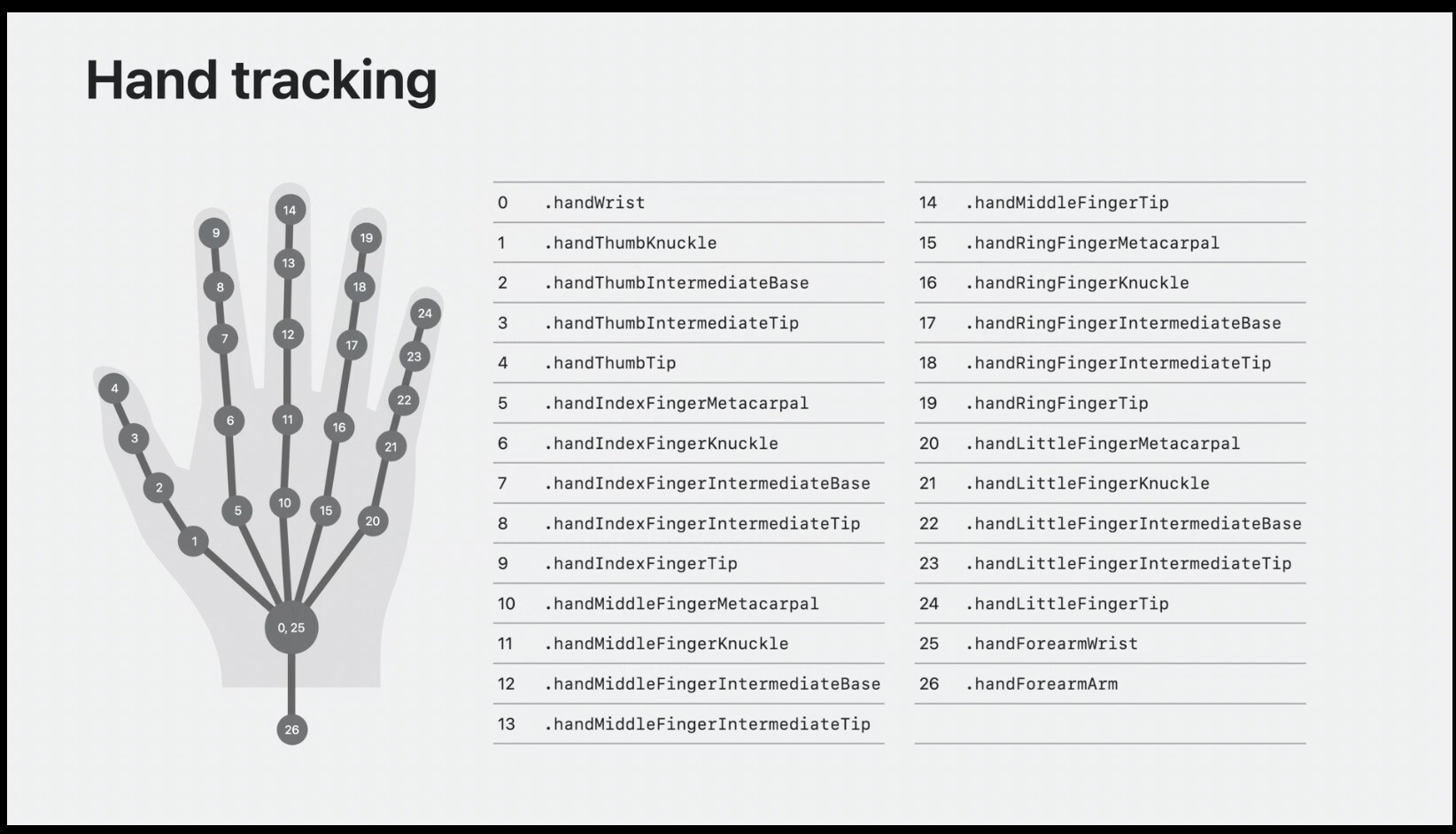
Supports anchoring virtual content to real-world objects or surfaces, allowing spatial elements to remain aligned with corresponding physical references.
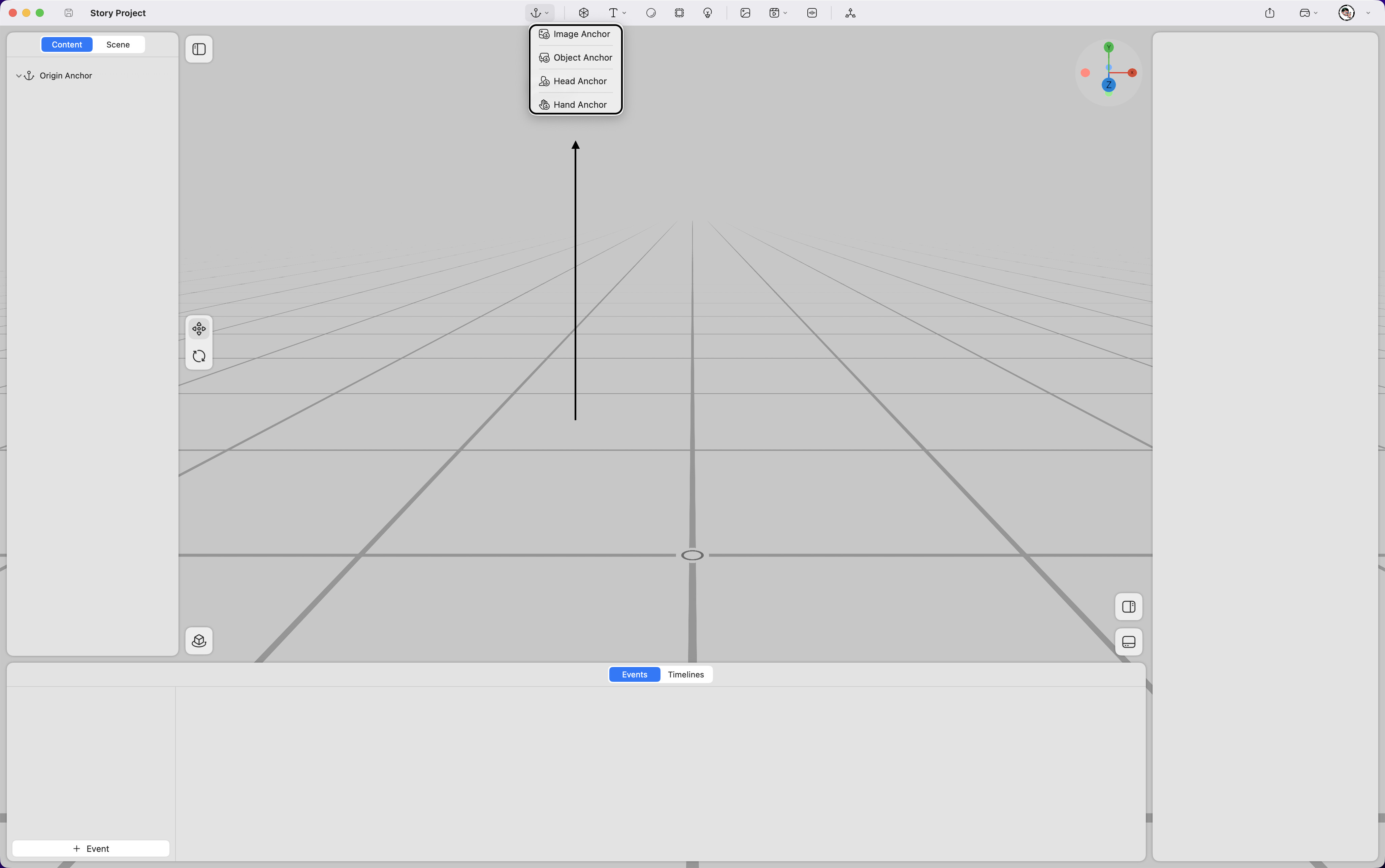
Image Anchor
Anchors virtual content to a real-world image.
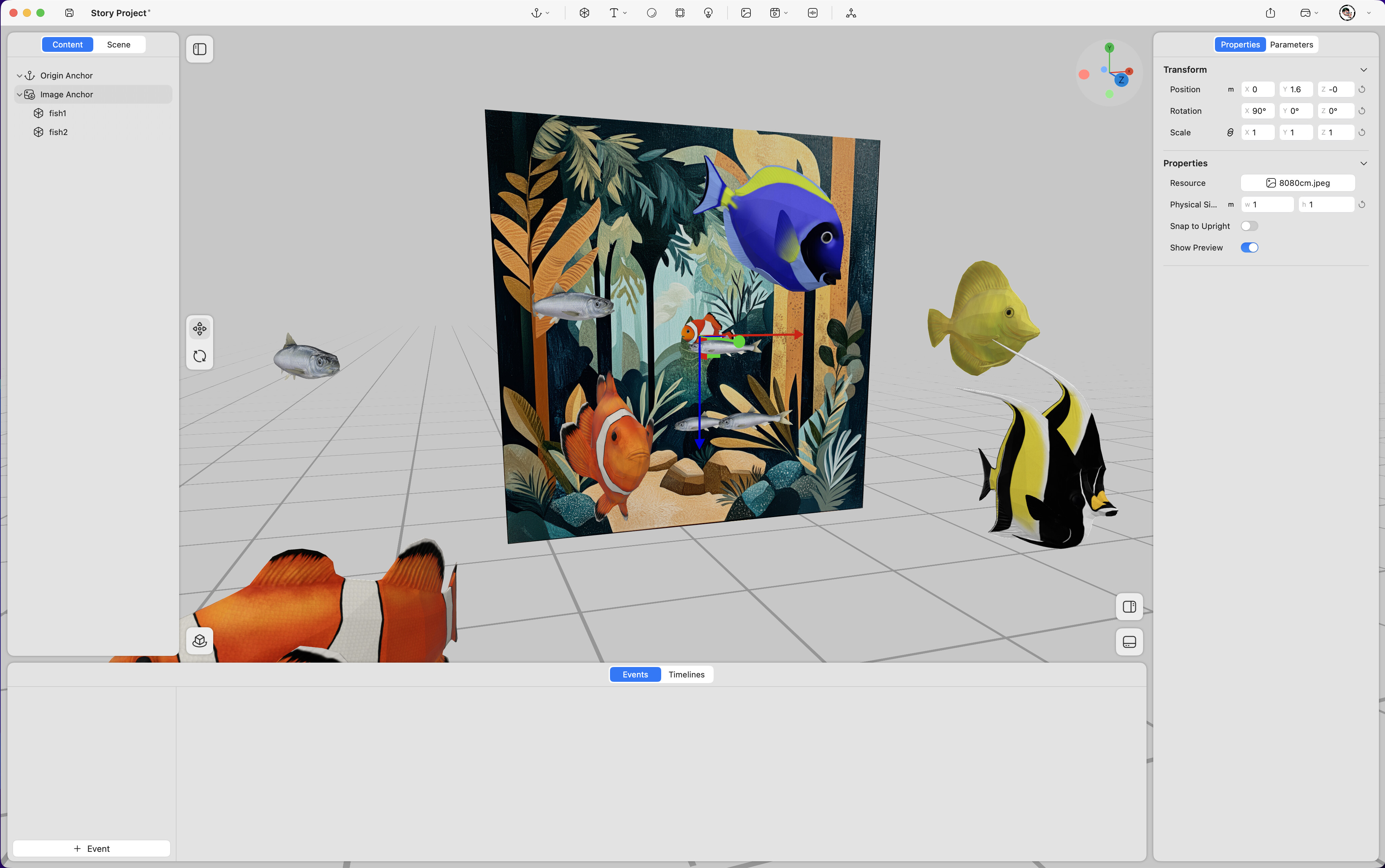
Property
Transform
-
Position – Adjusts the anchored content’s position in space (unit: meters).
-
Rotation – Adjusts the anchored content’s rotation in space (unit: degrees).
-
Scale – Adjusts the content’s size (value “1” represents 100%).
Properties
-
Resource – Replaces the reference image used for anchoring.
-
Physical Size – Defines the real-world dimensions of the recognized image.
-
Snap to Upright – Keeps the anchored content vertically aligned, unaffected by the real image’s tilt.
-
Show Preview – Enables or disables the image preview used for anchoring.
Object Anchor
Anchors virtual content to a real-world object.
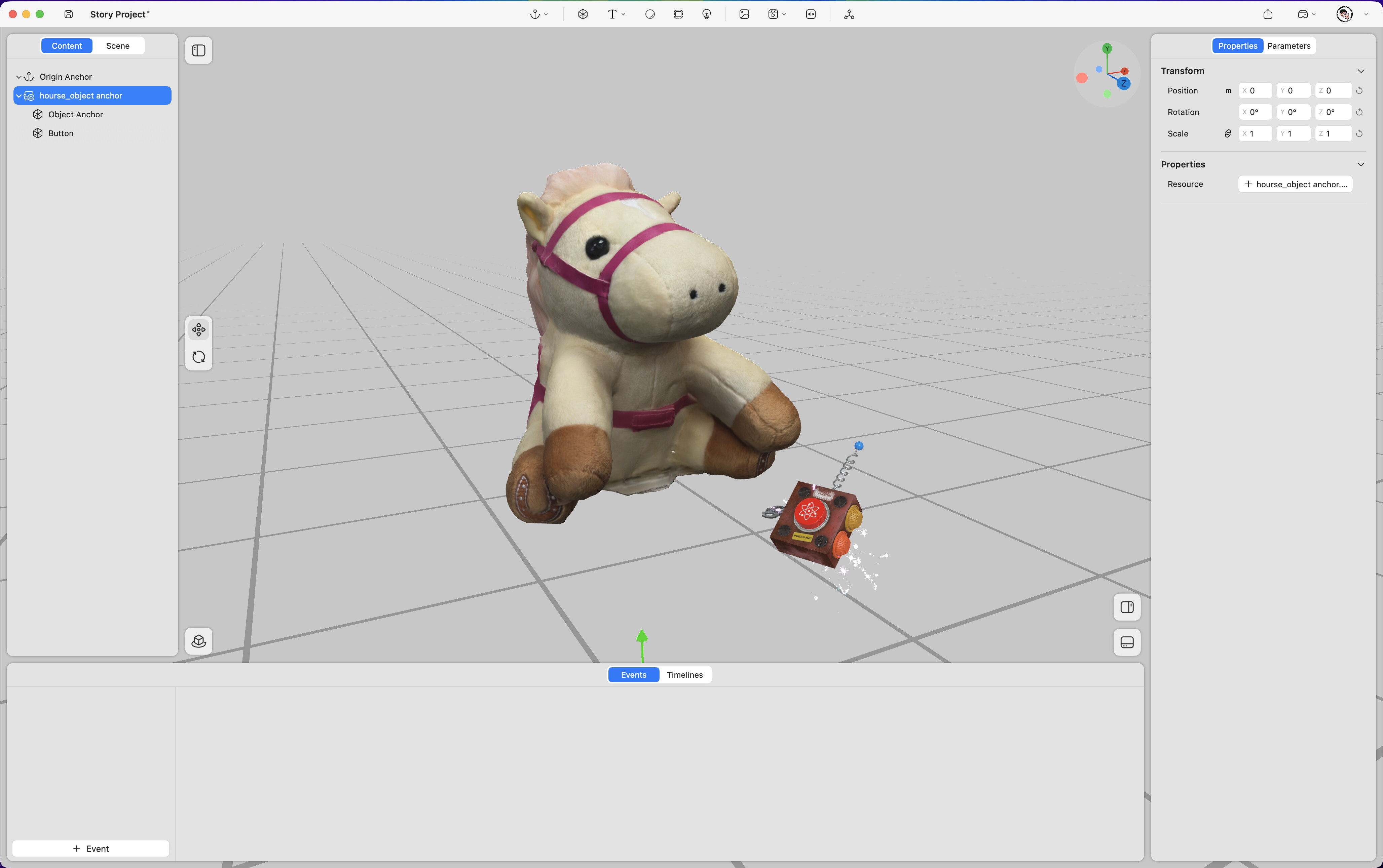
Property
Transform
-
Position – Adjusts the anchored content’s position in space (unit: meters).
-
Rotation – Adjusts the anchored content’s rotation in space (unit: degrees).、
-
Scale – Adjusts the content’s size (value “1” represents 100%).
Properties
- Resource – Replaces the reference object used for anchoring.
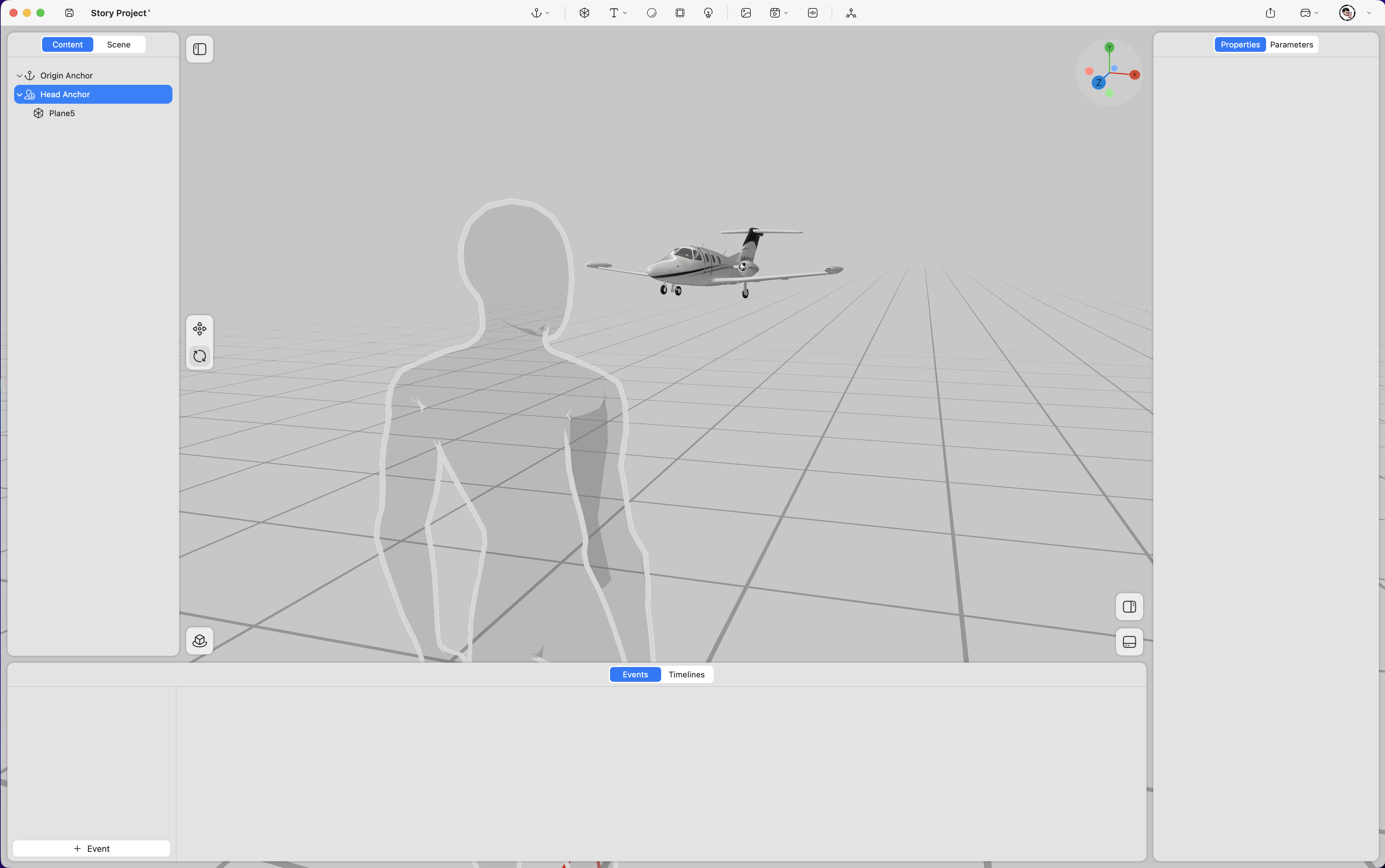
Head Anchor
Anchors virtual content to the user’s head position or orientation.
Hand Anchor
Anchors virtual content to the user’s hand position or joints.
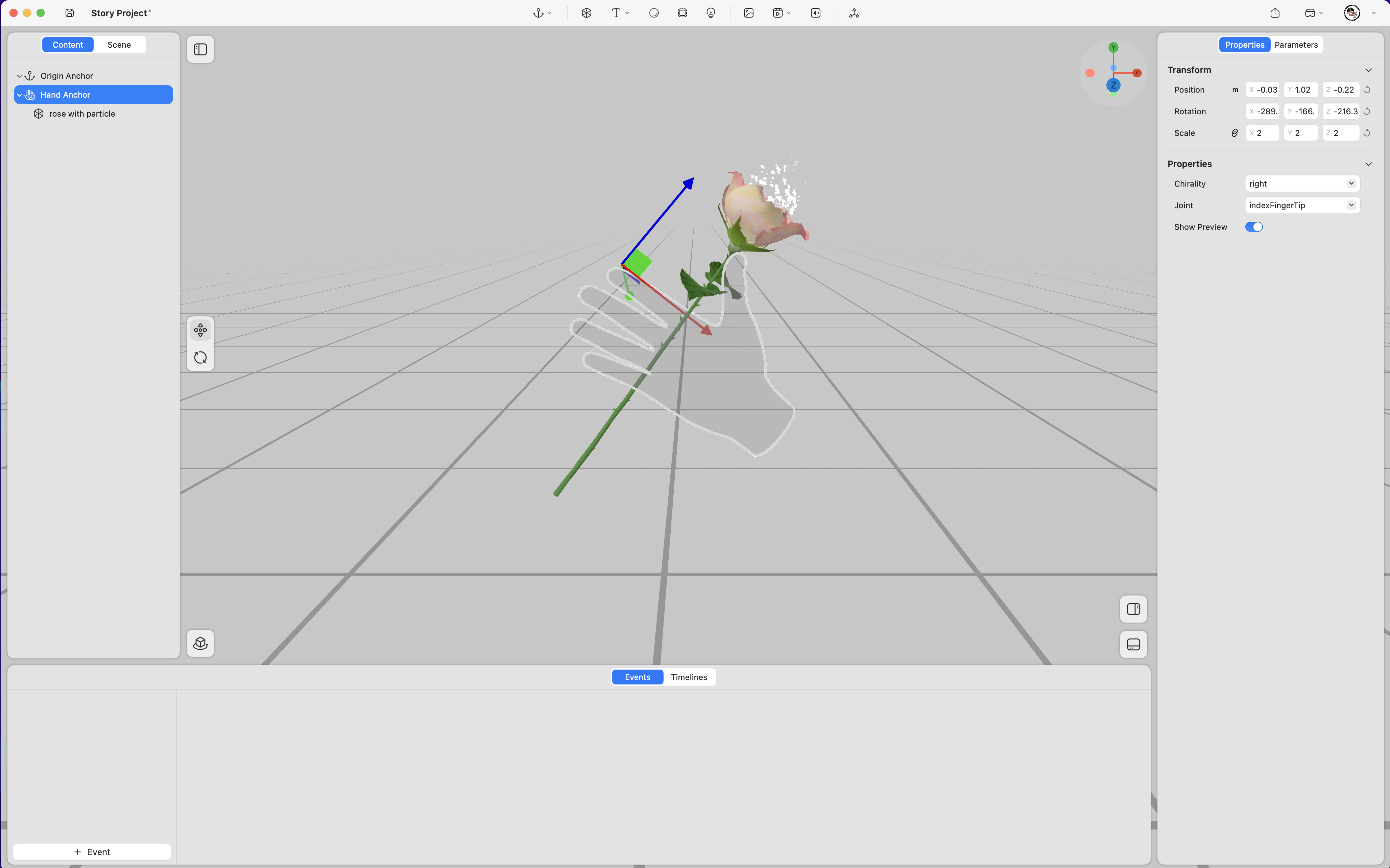
Property
Transform
-
Position – Adjusts the anchored content’s position in space (unit: meters).
-
Rotation – Adjusts the anchored content’s rotation in space (unit: degrees).
-
Scale – Adjusts the content’s size (value “1” represents 100%).
Properties
-
Chirality – Selects the anchoring hand (left or right).
-
Joint – Defines the specific joint to anchor the content to.
-
Show Preview – Enables or disables the hand preview visualization.